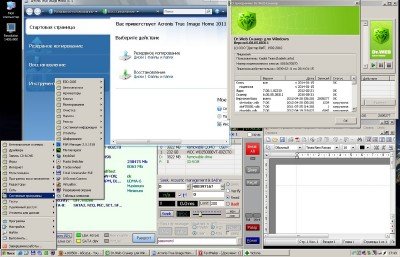
Collection Of Portable Apps | 876 B
This collection was put together mostly for personal use. The main goal was to have most programs as a single
executable with a nice icon and compressed to save on precious space. Some were Thinapp'd, some were made into RarSFX,
some are stand-alone executables. I am not a huge Thinapp fan, so most of them were made that way so they would retain
registration or important personal settings info.
Rarsfx are mostly rared installations or stand-alones with docs or the like. All SFXs auto-execute the main program
executable after decompressing to your temp folder and all files should get removed after terminating the application,
but some refuse to do so, so it's always a good idea to check your 'Local SettingsTemp directory'. Also, many of them
love to make folders under '%user%Application Data' and write to the registry. When in doubt (or when being raised
paranoid like me), use tools to watch registry and filesystem changes. There's tools for that in this compilation.
If you want to change the settings of an SFX, you can extract, run, configure and recompress. Most have the icon used
inside the archive itself. Or you can simply extract them to your machine if you plan on using them often.
Thinapp will always create a folder with the app's settings and virtual registry. This is called a sandbox. When I
feel it's important or necessary, it will be created in the same folder as the executable. If you don't care about it,
or you want to go back to the original configuration, you can delete this sandbox. You can also try to delete it if an
app loses it's registration and goes into trial mode. If it's an app whose configuration I feel don't matter, it will
be created in '%user%Application DataThinstall%appname%' and it will be emptied upon termination. However, Thinapp
just doesn't offer an option to remove the folder, so if you really don't want to leave stuff around, keep an eye on
that location too
Lastly, this is still mostly in the experimental stage. Most apps were tested on a clean virtual box running Windows
XP 32-bit SP3. No .net or VB/C runtimes installed to make sure apps don't have dependencies and run on a fresh install.
But this is all mostly theoretical and not all apps have been thoroughly tested. I don't have an email that I can share
on a public site, but leave comments here and I'll try to look into it. Keep in mind that I'm still learning some
of the things that goes into doing this.
A note about Portableapps.com and Thinapp. There's a few apps here that came from PA.com. I removed the extra stuff
they add from some of the apps. No hate here, but if you add it all together, it does take some space, plus I really
don't wanna see their banner pop up every time I launch one of them, and I think credits should go to the developers,
not to whoever packed it. Some of them are a single executable, and that sorta defies the purpose of "portable". Same
goes for VMWare Thinapp: all packages made by me using it had the pop-up banner removed.
And now for the list. I'll describe the more obscure ones and add notes about how they were made or observed issues. I
won't go into much detail on the ones everybody has.
**************************************************************************************************************************
**************************************************************************************************************************
-7-Zip 9.20 (PA>SFX) You're not as cool as WinRar, but you're much cooler than that jerk WinZip.
-Abiword 2.8.6 (PA>SFX) I don't care if I have to use Word, Writer or Abiword, but this is the smallest choice and
doubles as a nice spell-checker.
-all2lame by Speek (SFX) This is a classic GUI for LAME. It has LAME 3.99.5, the Visual Basic files needed and V0-V5
presets in the .ini.
-Angry IP Scanner 3.0 beta 6 (SFX) Another classic. This is the new cross-platform beta. Needs Java to run.
-Angry IP Scanner 2.21 (SFX) This one will run on a virgin XP install and it's true and tried. Documentation from the
site is included on both archives.
-Arena 3 (SFX) This is a super-awesome GUI for ICL chess engines. It's very configurable and displays all sorta of info.
It comes pimped out with many engines from legendary to obscure. I had to remove Houdini 2 and Shredder 12 because they
keep registration info in the registry. I removed all the ones that were bigger than a few megs. I also made banners for
all engines that don't come with one. Some notable mentions: Houdini 1.5, Fruit, GNUchess, Critter, Rybka 4.1, The
Thinker, and the patched engines from The Chessmaster 8k, 9k and 10k. Many have their own opening books. You can play
against any, or pit them against each other! F U N
-Armagetron Advanced .2.8 (PA>SFX) Nice 3D Tron-type with internet gameplay.
-ASCII Generator 2.0 (SFX) This is a nice image to ASCII converter that lets you change size, proportions, brightness,
contrast and ramp. It can also generate color HTML ASCII art too, if you're a cupcake. This is not the one I used to
use back in my needledrop days, but I couldn't remember the name, so this one came up and does the job nicely. GPL
License too.
-ASCII Generator b13 (SFX) An older and simpler version of the above that runs on a fresh XP installation. I might try
to find out what the dependencies are and fix v2 later. .NET 2.0 maybe?
-Atomic Tanks (PA>SFX) The mother of all Scorched Earth clones! Extract to machine if you want it to save your player,
scores and the like. Every pen-drive should have this one.. agree?
-Adobe Audition 1.5 (Thinapp, will save sandbox in same dir) I added the complete Kjaerhus Classic VST collection, and
some from GVST. I wanted to add ReaPlugs, but AA1.5 has very poor VST compatibility
-AusLogics Registry Defrag 4 (SFX) I'm not an expert on registry defragging and compacting, but it seems to work well
enough. Could be snake oil for all I know..
-Bulletproof FTP Server 2.3.1 (SFX) Like all SFXs that use .ini, any changes you make to the configuration will be lost
once you close it. Decompress to your machine if you plan on using it often. Comes preconfigured with anonymous account
with read access to C:FTP. If this folder doesn't exist, users won't be able to log in. This is actually the first
time I've tried BPFTP and was glad to see it's full-featured and light-weight. If Serve-U ever gives me trouble, this
is definitely a very close second in the list.
-Breathcube (SFX) Makes wonderfully weird music on it's own! Needs an ASIO driver. Use ASIO4all if you don't have an
ASIO card.
-Burrrn 1.14b2 (SFX) This is the burner I used to use back when I was an audiophile wannabe. If you have a nice FLAC
rip with cuesheet, this is the one to use. Supports track/album ReplayGain (for you non-purists!) and has a nice
cuesheet editor. Comes with all kinds of codecs, including flac, WavPack, ogg, mp3, and shorten.
-BZFlag 2.40 (SFX) Fast and furious capture-the-flag type online 3D game. C L A S S I C
-Canabalt (.exe) Simple game where you run for your life as your city gets destroyed by an alien attack. You just jump
with spacebar Sleek looks too. I think this one is Flash.
-CCleaner 3.17 (SFX) Everybody knows this one. Makes it easy to clear all those restore points and such.
-CDisplayEX 1.8 (SFX) My favorite comic book reader. I prefer to install it so I can have all associations and
and thumbnails nicely working, but I need my CDEX with me at all times!
-CheckFolder (SFX) Checks if a disk can be read. Works for HDD/FLASH or CD/DVD and all that.
-The Chessmaster 8000 (SFX) I like Chessmaster. Might not have the best engine, but you can choose and tweak the
difficulty and even create your virtual opponents. Hopefully I deleted my pathetic profile?
-Civilization II (SFX) What can I say? Best game ever. I wasn't sure what to do about this one, so I got a bit
experimental. Running the SFX will extract to C:Civ2, create a shortcut on the desktop and run the game. The thing
about this one is that Civ 2, like many other games from the late 90s, will use 100% of the CPU, even when idle.
Some geeky kind soul made a fix for this, and to run it, you execute a batch file. The batch file has an absolute path
to the executable, so you can't really make a portable when the location is going to be dynamic. Your best option is to
extract to a location of your choice (including your pen-drive) and edit the path in 'start.bat'. So yea, this one is
portable after a bit of work.
-ColorConsole (.exe) Replacement for the Windows CLI with tab support, command bookmarks, color themes and context
menu support. I says it does highlighting but haven't figured out how. I'm taking suggestions for better ones.
-Convert 4.1 (SFX) Nice unit conversion app. I think it stores setting in the registry. Might look into it later.
-Cool Beans NFO Creator (SFX) Haven't really used this one too much, and it might error out if ran straight from the
temp folder. Seems to work fine if extracted elsewhere?
-Cool Reader 3 (SFX) Cool Reader is cool. It's light with an uncluttered interface, and has nice options to set up the
theme and page view. My preferred reader for epub and mobi. I had to add the VS2008 .DLLs which make the archive
400KB bigger, but now it runs in a virgin XP installation Sadly, seems like the settings are stored in the registry,
and the default configuration is pretty retarded and I don't think it's worth it to make it a thinapp. I suggest you
change to two-page view right away. I might look into making a batch for basic settings. I don't think this runs in
Win2K.
-CorelDraw X3 (Thinapp>SFX) Or at least I think it a Thinapp. It compressed from 130MB TO 33MB. This one takes a while
to load. Thanks to whoever thinned it.
-Crimson Editor (SFX from Portableapps) Using npp portable always messes up my associations, and this one doesn't. It
was my editor of choice until I tried npp.
-daa2iso (.exe) Nice little freebie that does what the name implies. Screw you PowerISO!! j/k
-dBpoweramp Music Converter Reference v14.2 (Thinapp) This one I found. It has the CD ripper, converter and batch
converter. I prefer EAC and the FLAC, WV and LAME codecs, but It's handy to have. Settings are saved with the apps.
-Disk Pulse 3.8.20 (Thinapp) Monitors any change to the drive/folder/s you choose (created-modified-deleted files)
and logs to screen in real-time. It can export reports to nice HTML files. I made it a thinapp so I can save my
profiles. Sandbox is created next to app. This is one of the tools I use the most when trying to make something
portable. This is the free version but does plenty. Anyone's got the full one?
-Double Driver 4.1.0 (SFX) Backs up and restores already installed drivers. It saved me from deep poo a few times.
Doesn't seem to run on Win2K
-DVDDecrypter 3.5.4.0 (Thinapp) This one I found. Leaves sandbox called 'Appdata' in the same dir as the app. Haven't
fully tested but seems to work. Oldie but goodie.
-DVDInfo 4.7 (Thinapp) This one I found too. It leaves 'Application DataThinstallDVDInfoPro' and the process stays
loaded after terminating. I tried to do the newest version and had the same issue. DVDInfo shows you all kinds of
info about your drives and discs. It can also perform CRC checks on discs. Pretty useful.
-EnCase 4.20 (SFX) Not too sure about this one. Apparently it's used by enforcement agencies for forensic investigation.
It's a rar containing the SFX and PDF manual. It's configured to write projects to C:encase but you can easily change
that.
-Ethereal .10.14 (SFX) Now known as WireShark (which is portable). This one is for the old-schoolers. Any newer version
will give me a blue screen if ran as portable. You need to install WinPCap or you won't be able to monitor.
-Everything 1.2.1.371 (SFX) Another great freebie. It creates a list of every file in your computer in seconds. Once
you start typing, it filters out whatever doesn't match your search. A real time-saver. Apparently it also has an FTP
and HTTP server.
-File Scavenger 3.2 (SFX) After all their spam and great reviews, I decided to try it out, and I gotta say it's pretty
good. It was able to recover quite a few files from a re-partitioned re-formated drive. The package is a WinRar SFX
that runs a batch (reg.bat) that attempts to silently merge dk.reg into the registry to unlock the program. It seems to
work in XP, but I don't know how security is in Vista/7, so I'd like to hear how it works for you guys. You can always
extract the .reg and either import it to the registry of through the program itself. This one is worth a try IMO. It
lets you type file extensions and offers a nice tree view.
-FileZilla 3.6.4 (SFX) Another classic freebie. Extract if you want to keep your bookmarks.
-FLAC 1.2.1b (SFX) The frontend with the VB files so it can run on a fresh install.
-Adobe Flash Player (.exe) Dunno where I got this. It plays flash video better that VLC or MPC.
-Folder2ISO (.exe) a-ha!
-Freeraser 1.0.0.23 (SFX) Drag files into the icon to shred them. Do some really big files to watch the cool animation.
-GetDataBack for FAT/NTFS (Thinapp) Never really worked out for me, but they seem to be popular, so I keep it around
just in case.
-Glary Registry Repair 3.3 (SFX) I'm not really a fan of registry fixers, but once I decided to try the most recommended
ones, and this one is the only one I didn't hate. Sometimes I run it and look at the results out of curiosity more than
anything.
-GNUChess (SFX) Nice little and fast GUI for the GNUChess engine.
-Guidua 0.16 (SFX) OiNKers might remember this one. It's a GUI for oidua, a CLI app that creates a nice HTML list of
your mp3 collection with sizes, bitrates and lame switches. Don't know if it supports the 'V' switches. The archive
includes the needed VB files. It's configured to save the HTML file in it's own dir, so browse to it, or save the page
from your browser. A W E S O M E
-HFS - HTTP File Server 2.2f (SFX) Another super-cool freebie. You drag files into it, and it creates an HTML page with
links to it and it serves the page. Good to quickly share files over HTTP. Extract if you wanna keep your new settings.
-HxD (SFX) A free hex editor. I don't remember why exactly, but it compared favorably in Wikipedia.
-IcoFX 1.6.4 (SFX) Very nice light and free icon editor/creator.
-Iconchanger 3.4 (Thinapp) Average old shareware. I like the fact that it lets you scan whole drives. Expect the Win2K
and Win98 icon collection soon
-ImgBurn 2.5.6.0 (SFX) By the guy that made DVDDecrypter. It writes all kings of images, including Clone CD, Nero,
Alcohol and whatnot. They say it's very accurate.
-Info-ZIP WiZ 503xN (SFX) This one is for nostalgia more than anything. A Zip utility with Windows 3.1 GUI!
-InfraRecorder .52 (SFX) Who burns CD compilations anymore? Not me, but this one looks adequate enough, in case I need
to use it.
-InstallShield CAB File Viewer 14.0 (SFX) Extracted from the InstallShield suite by Wizard (I think?). Useful to edit
those darn installers.
-IrfanView 4.30 (SFX) You knew this one was coming.
-KeePass 1.21 (SFX) Lately I'm using the passstore plugin for Total Commander, which is based on this, but I like to
keep this one around, dunno why. I like how you can save the encrypted database to a location of your choice.
-KompoZer .7.10 (SFX) I've never used an HTML editor, but with so many portable server stuff, I thought it'd be handy
to have one around. This one seemed good enough. It can do tables very nicely. Otherwise, I don't know much about it.
-Leeos Query Application (SFX) Been using this one for years. It can do port scans, ping, whois, IP>host and vice-versa
and various other things.
-Leeos SMIP (SFX) Part of Query, this is a little app that tells you your LAN and WAN IP and let's you copy it to your
clipboard.
-MagicISO 5.5b281 (Thinapp>SFX) Found it. Being an SFX means it won't leave a sandbox laying around.
-Media Player Classic Home Cinema 1.6.0 (SFX) Configured to write to .ini in temp w00t No leftovers AFAIK. I don't think
I'm gonna include VLC, even though it's my favorite, as it messes my associations up and trying to change some settings
make it crash on me. No problems with a normal install though. Not that there's anything wrong with MPC..
-MilkShape 3D 1.8.4 (Thinapp>SFX) Super legendary 3D modeling and animation app created to work on the Half-Life models.
Now this one I'm not even sure should be here. I tried SFX and it would go to trial. Then I tried Thinapp, and the
package was ~80MB, while the program should be less than 10MB. What I ended up doing was compressing the package, which
resulted in an 8MB file, but when you exit the program, the 80MB file remains in your temp folder. Which is what we have
here. The only other solution I can think of is to just pack the game with the keygen, but that's not very classy
either. Oh well, you can skip this one and download the installer or delete the files from the temp when you're done.
Either way, I had to include, since it's the app that I learned on and got me interested in other ones.
-Microangelo 6 (SFX) I packed each executable with the needed files so they could be ran without having to have the
other ones around. The downside is that they won't communicate with each other, but everything can be accomplished
manually.
-Minihost 1.64 (SFX) Kick-ass VSTi host. Supports MIDI controllers and has the best bank (FXP) editor ever. You need
an ASIO driver to use it. Get ASIO4all if you don't have an ASIO card. GOLD JERRY GOLD!!!
-mIRC 7.22 (SFX) Another inevitable addition.
-Mobipocket Reader 6.2 (Thinapp) Not a big fan, but it's an acceptable solution. In fact, I don't remember what format
I use this for? Anyways, It's got the cleanest configuration I could come up with and sandbox is emptied on exit.
Seriously, doesn't Cool Reader open .mobi? hmm
-mp3DirectCut 2.15 (SFX) Another classic. The only editor I know off that can crop and do such edits to mp3s without
re-encoding. Useful to remove those nasty clicks from that bad 128k rip of that super-rare CD.
-Mp3tag 2.5 (PA(development release)>SFX) We all know this one, no?
-MrQuestionMan (.exe) By the creator of Burrrn, this one tells you useful info about MP3s and other types, including
codec, version and switched used by LAME. Never leave home without it. You wouldn't want people thinking you're not
cool, would you? Check out the 'About' for a cheap laugh. heh heh
-Neo's SafeKeys 3.1.4 (SFX) Use and on-screen keyboard then drag-drop the text, in case they are watching you with a
keylogger. I actually used it to make this nfo. The portable version didn't work for me, but the install did, so this
the install folder SFX'd. Go figure..
-NethackW 3.43 (SFX) The fancy GUI version of the classic dungeon crawler game. You might lose some street cred, but
it's now possible to see what you're doing.
-Nirsoft Launcher 1.11.50 (SFX) If you're an HBCD user, chances are you've come across a few of their apps. Well, this
is a collection of most of their apps within a nice launcher with categories and search. There's tons of network,
recovery and registry tools here, a few of them quite hacky. And you thought Sysinternals were cool.
-NIYoW 1.7.6 (SFX) Bulk renamers confuse and scare me, but once, while creating a Kontakt library, I no doubt needed
one. This one sold me with it's wizard, and it's still the only renamer I feel comfortable with. It's ugly, old, their
site went under, and it's got a wizard LOLZ, but I'll be damn if they take NIYoW from me. I'll ignore any criticism
about this here app.
-NSIS ANSI 2.46 (PA>SFX) This is the "Nullsoft scriptable Install System" which is open source and also happens to be
what the folks over at portableapps.com use to build their installers. I'm no expert on this, but I used it to switch a
few of the PA splashes. Maybe someday I'll learn how to actually change the filename in the script so I can use images
with transparency This portable version comes loaded with plugins, from what I understand.
-Offline Explorer 4.9 (Thinapp I think) This lets you download sites with a certain number of levels according to your
criteria. It's on the bloaty side, but I only use it a few times a year, and it gets the job done. I've never tried a
substitute.
-Long nfo is long
-OllyDbg 1.10 (SFX) Probably the most popular free debugger. If it complains about missing PSAPI.DLL, it's in an
archive inside the archive. The UDD and plugin paths in the ini are relative and point to empty directories in the
archive. Ah, the things you gotta do sometimes to make something portable..
-PhotoFiltre 7.0 (SFX) Somewhere between IrfanView and Photoshop lies PhotoFiltre. I believe this was the first version
to support transparency. Anyone's got version 8 with the deform tool? This might write something to Application Data.
-Adobe Photoshop 8 (?>SFX) Found it. I just made an SFX out of it. I've been using it for a while and works great.
-PMView 3.60 (SFX) If you're like me, you bow down to the i_view32.exe, but if you ever tried to load a very large file
you'll notice how zooming can really take time and it gets worse the more you zoom in. PMView zooms very quickly, with
no effect on quality, even with resample on. I don't know how they do it, but if you view large hirez maps, satellite
or astronomy photos (some of them have to be downloaded with bit torrent :O), you'll need this.
-Power Data Recovery 6.5 (SFX) This one was extracted from HBCD. It's a WinRar SFX that runs a batch (reg.bat) that
attempts to silently import License.reg. Works in XP, but I'd like to hear how it works in Vista/7 for you guys. I had
to include this one because after trying a few, this was the only tool that was able to recover a few important files
from a re-partitioned/re-formated drive. I recommend using a few different ones when you need to recover a lot of
files, but right now, this would be my first choice from the list. Made by MiniTools, the same dudes that make the
Partition Wizard from HBCD fame.
-PuTTY .62 (SFX) Docs included. The classic telnet client. This is the version that also does SSH.
-Puzzle Collection (SFX) These are pretty classic. Now there's a nice launcher too! Long live Net!
-Quick Poker 3.3.2 (SFX) Self-explanatory.
-Rainlendar 2 (SFX) Not really meant to be ran from a pen drive, but more to skip the installation and keep on a drive
or partition that's not where Windows is, so it'll be ready and waiting for you after you reformat your C:, along with
all your other portables.
-Recuva 1.42 (SFX) Very nice freeware recovery tool that offers preview for images. From the makers of CCleaner.
-Regshot 1.8.3b1 v5 (SFX) Another tool that came useful while doing this project. It basically takes two snapshots
of the registry and reports the changes.
-Resource Hacker (SFX) Another everyone has, but now you don't have to install. I prefer Resourcer, but this one has
no dependencies, so I carry it around.
-Resourcer .9.3531 (SFX) Very nice GPL resource editor. It can show all files under the same node in the right window,
so it makes it quicker to find that item you're looking for. I suggest you turn off transparency and GUI gimmicks.
-restoration2514 (SFX) Classic undelete freeware utility. I don't think it works with reformatted volumes, but useful
to quickly restore files after emptying the recycle bin with filename search.
-RevoUninstaller 1.93 (SFX) Everybody's doing it, so why can't I?
-savihost (SFX) Another mini VSTi host.
-server2go 1.82 (SFX) A so-called server-on-a-CD, this pretty much runs a WAMP using temp files. I think it's meant to
make CDs with SQL/PHP apps on them. I think it's the easiest way to have a server going (just click on the executable
and you're running), and it might be useful to test-run PHP/MySQl apps like Wiki or forums, since it's pretty much
read-only and you won't mess up you database, but the dude wants 40 pounds just to have the ability to change the MySQL
password, so I suggest you go with XAMPP if you want a portable WAMP-type deal. Interesting idea nonetheless.
-Serv-U 6.1 (SFX) My favorite FTP server, this is before they went all bloaty on me. It's configured with anonymous
on C:FTP and users won't be able to log in if it doesn't exist. Extract to configure. Note that if you exit the tray
icon without first shutting down the daemon, it will keep running as a daemon without GUI, which is fine, and clients
will still be able to connect, but even if you launch the GUI again and stop it, it will leave a copy of the program in
your temp folder. For a clean exit, close the GUI, stop the daemon from the tray icon, then exit the tray icon.
-ShowIP 1.6.4 (SFX) Small app that shows your LAN and WAN IP. This is the crappy ugly white version with the nag screen
and no traditional menu. I'm desperately looking for an older version. If someone has a copy, please share!!!
-Snood 2.2 (SFX) No self-respecting compilation would be complete with some sort of snood in there.
-Spacesniffer 1.1.4 (SFX) Shows drive space usage in a very graphical way. Could be use as a very awkward file manager.
-SumatraPDF 2.0.1 (SFX) I know everybody has this one, and it's portable, but as I said before, I only want single
executables! Settings database is archived with the main app. yay
-SyncBack 3.2 (SFX) I've been using Total Commander for most of my syncing, but this one offers many more options and it
saves profiles. It's an older version because I'm afraid of change.
-Sysinternals (SFX) A few of the classics packed with docs: Autoruns, FileMon, PortMonNT, Process Explorer, RegMon
TCPView and Process Monitor.
-taptempo (.exe) Find out the tempo of a song by tapping on your spacebar. I record covers sometimes..
-tinytask (.exe) Records and plays back macros. I usually use another one, but this one is fast to setup and it's
mega-light.
-Treepad Lite 4.3 (SFX) Imagine having a notepad that can do pages. Lot less of a mess around!
-TreeSize Professional 5.4.4 (?>SFX) Found it. Analyzes disk space usage. I'm using visualdirsize for Total Commander
now, so I'm not sure why I carry it around?
-TrueCrypt 7.1a (SFX) This very cool GPL program lets you create encrypted virtual drives that reside in files that can
be handled like any other file. Once you mount the volume after entering password, it acts like any other volume with
letter under My Computer, and you're free to do as you like in there. There's a Linux and OSX version, so you know you
can open your file pretty much anywhere. If you want to encrypt your system partition, you need to install it,
otherwise, you can have an encrypted 'volume' on your flash-drive with your sensitive data, and your copy of TrueCrypt
in the unencrypted part. You can also create a hidden volume inside the 'visible' volume. Read the manual. This thing
is awesome.
-UnFREEz 2.1 (SFX) Old app for making animated GIFs out of a few still images. Source included.
-uniextract 161 (SFX) When are you gonna open UPX? *prays*
-Vegas 5.0d (Thinapp) Because people were making amazing videos 'back in 2004'. It asked for the VC or B framework
during installation, but seems to run fine without it. I loaded an uncompressed video with LAME audio and seemed
to work fine, but this old laptop can't really handle video editing, so I would appreciate someone testing this more.
Plus it's being so long since I've messed with this, I don't even remember how to use AVISynth..
-Virtual Floppy Drive 2.1 (SFX) It creates virtual floppy drives (ORLY) with letters under My Computer and mounts all
kinds of types of images. Essential for us DOS freaks.
-Visual Basic 6 (?) Major kudos to whoever did this. It's 6MB and it works! OMG
-Wavosaur .1.0.5.0 (SFX) The lightest of all programs. Full featured audio editor with support for VST that will run on
air. Some sort of quick-start guide included in the archive, which brought the size up to 896KB. That's ~18 times the
size of this text so far.
-WavPack Frontend 4.60.1 (SFX) By Speek. I use Wavpack for hirez audio. Do you? Necessary VB files included!
-WhereIsIt 3.53 (SFX) What an appropriate name. I'd use 3.95, but this is the only version that consistently has worked
for me without locking out my catalogs with the famous 'warez user' password. HOW DARE YOU LULZ Sadly, this version
stores the configuration in the registry, but it should work fine. Just untick the TOTD when running on a different
computer. I might try to make a .reg with some basic settings and an inject script later.
-Winamp 2.95 (SFX) Has the FLAC, Wavpack and Ogg Vorbis codecs and the legendary alarm clock plugin.
-WinAudit 2.29 (SFX) "Computer audit and inventory software". Creates some very nice XML reports.
-Winboard 4.5.3 (PA>SFX) Comes with the patched Chessmaster 8k, 9k, 10k and GNUChess engines. C O O L
-Winhex 16.3 (SFX) Classic hex editor. I had to set the temp location to C: so watch for extra files there. I couldn't
get it to use relative paths and I don't think thinapping this is worth it.
-WinImage 8.50 (Thinapp) Another essential for us DOS freaks. Lets you open and create all kinds of images, including
floppy ones. If you combine it with the filedisk driver, lets you mount them. Sandbox emptied on exit.
-WinMerge 2.12.4.0 (SFX) Open Source differencing and merging tool. Archive contains the VB dependencies.
-WinPenguins (SFX) Penguins on your desktop. Makes me laugh every time > Wonder if there's ARMOR for teh win?
-WinRar 4.11 (SFX of course!) Cuz life wouldn't be the same without you. Marry me WinRar!
-WinTools 11.7.1 Ultimate (Thinapp) This one retains the settings in the sandbox created in the same dir as the app.
It's got various tools like a registry fixer, defragger, net tweaker, but the only one I really use is the uninstaller
that scans your system before and after and saves the list of changes to undo them later. I don't know how much I would
trust doing that long term with the portable version. I suggest you install the normal one if you intend to use it
regularly, not that I observed any weird behavior.
-WinZip 16 (Thinapp) Oh how I hate your spammy install and your bloated body. I think I've used WinZip once in the last
ten years. This one was done for the sake of completeness. At least I won't have to see your annoying install sequence
anymore. You don't even run on Win2K. Are people really still using this? Version 16? Isn't that one more than
Photoshop?
-WS_FTP 9.01 (thinapp) This was really an experiment more than anything. Seems to work, but really didn't like the
interface. But I know it's pretty popular, so here you have it.
-XAMPP 1.7.7 xtralite USB (RAR) This is the USB edition of XAMPP, with everything configured with relative paths, so
you can move the whole folder if you want to. This is the so called lite version that comes with:
Apache 2.2.21
MySQL 5.5.16
PHP 5.3.8
phpMyAdmin 3.4.5
OpenSSL 1.0.0e
I removed some of the embedded and debug MySQL files that take about 170MB. They are located in the 'removed' archive.
Extract to the XAMPP folder if you need them back. I also added Webalizer, added the folder 'htdocswebalizer-stats'
and the msfree image (haven't thought of something clever to replace it with). Note that Webalizer is configured to
output to a public dir, so if you don't want that, change the location in the .conf. There's a batch to run Webalizer,
instead of running it from the CLI called 'webalizer.bat'. Look through the .conf as Webalizer is pretty configurable.
I think that once you get it all going, you should set localhost or 127.0.0.1 or whatever appears in the access.log
whenever you visit locally to 'Ignore'. Note that Webalizer won't run if there's no access.log, so make sure you browse
through some pages before trying it out. Read the .conf for more info. There's also some GUI for it, but I find it
confusing. You might also be interested in 'Geolizer' and country flags for a super-pimped Webalizer. Fun stuff.
So just decompress the XAMPP folder to the root of any drive, and run 'xampp-control.exe', start Apache and MySQL, and
go to 'localhost' with your browser. Once you get to the orange page, click on 'Security' then on the xamppsecurity
link toward the bottom to set your passwords, and you're all set. Make a nice favicon too!
n00b alert: Don't try to run this from an USB v1 port (like me), it won't be able to keep up. What I do is run it from
Q:XAMPP and I have a backup copy on my pen-drive (I've lost so much of my HTML work over the years, but not anymore),
and sync with Total Commander once in a while or whenever I do some work. So that's my backup and I can run it on any
computer This is really awesome stuff. You can also get the full package from their site that also has an email
server, Tomcat and FileZilla server.
Link DownloadFrom Extabit (Premium Recommend)
http://extabit.com/file/27a35ng1qzoty/portapps.part01.rarhttp://extabit.com/file/27a35ng1qzoue/portapps.part02.rarhttp://extabit.com/file/27a35ng1qzrye/portapps.part03.rarhttp://extabit.com/file/27a35ng1qzs1y/portapps.part04.rarhttp://extabit.com/file/27a35ng1qzs1i/portapps.part05.rarhttp://extabit.com/file/27a35ng1qziie/portapps.part06.rarhttp://extabit.com/file/27a35ng1qzigm/portapps.part07.rarhttp://extabit.com/file/27a35ng1qzll2/portapps.part08.rarhttp://extabit.com/file/27a35ng1r0qpy/portapps.part09.rarFrom Rapidgator
http://rapidgator.net/file/5668972/portapps.part01.rar.html
http://rapidgator.net/file/5669018/portapps.part02.rar.html
http://rapidgator.net/file/5669032/portapps.part03.rar.html
http://rapidgator.net/file/5669172/portapps.part04.rar.html
http://rapidgator.net/file/5669209/portapps.part05.rar.html
http://rapidgator.net/file/5669231/portapps.part06.rar.html
http://rapidgator.net/file/5669384/portapps.part09.rar.html
http://rapidgator.net/file/5669391/portapps.part07.rar.html
http://rapidgator.net/file/5669424/portapps.part08.rar.html